Introduction
If you prepare tax returns for other people, the IRS does not treat cybersecurity as optional. You hold Social Security numbers, income details, bank accounts, and dependents’ information — and the IRS expects you to protect it with a written plan, real safeguards, and a clear response if something goes wrong.
This guide explains the IRS requirements in plain English: what Publication 4557 asks for, what a WISP is, what changed with Publication 5708, and what to do if your firm suffers a data breach.
The core requirement: protect taxpayer data
The IRS position is simple: anyone who prepares tax returns must safeguard the taxpayer data they hold. That duty comes from federal law (the Gramm-Leach-Bliley Act and IRS rules for preparers) and is spelled out in Publication 4557, “Safeguarding Taxpayer Data.”
Publication 4557 is the starting point. It covers:
- Creating a Written Information Security Plan (WISP)
- Securing your computers, networks, and email
- Training staff to spot phishing and social engineering
- Controlling who can access client data
- Planning for a data breach before it happens
Your Written Information Security Plan (WISP)
The centerpiece of the IRS requirements is the WISP. Every tax preparation firm should have one, sized to the firm:
- Name a security coordinator — one person responsible for the plan
- Assess your risks — phishing, weak passwords, lost laptops, unpatched software, breached service providers
- Document your safeguards — MFA, password manager, updates, encryption, backups, access limits
- Cover your providers — tax software, cloud storage, email, payroll, IT support
- Write an incident plan — what you do in the first hours after a breach
- Review it yearly — and after any incident or major change
Publication 5708, “Creating a Written Information Security Plan,” walks through this step by step. Our WISP template guide in this series gives you the full structure to copy.
Every time you renew your PTIN (Form W-12), you must attest that you know a written information security plan is required. This is how the IRS makes sure every preparer has a WISP.
The six IRS security recommendations
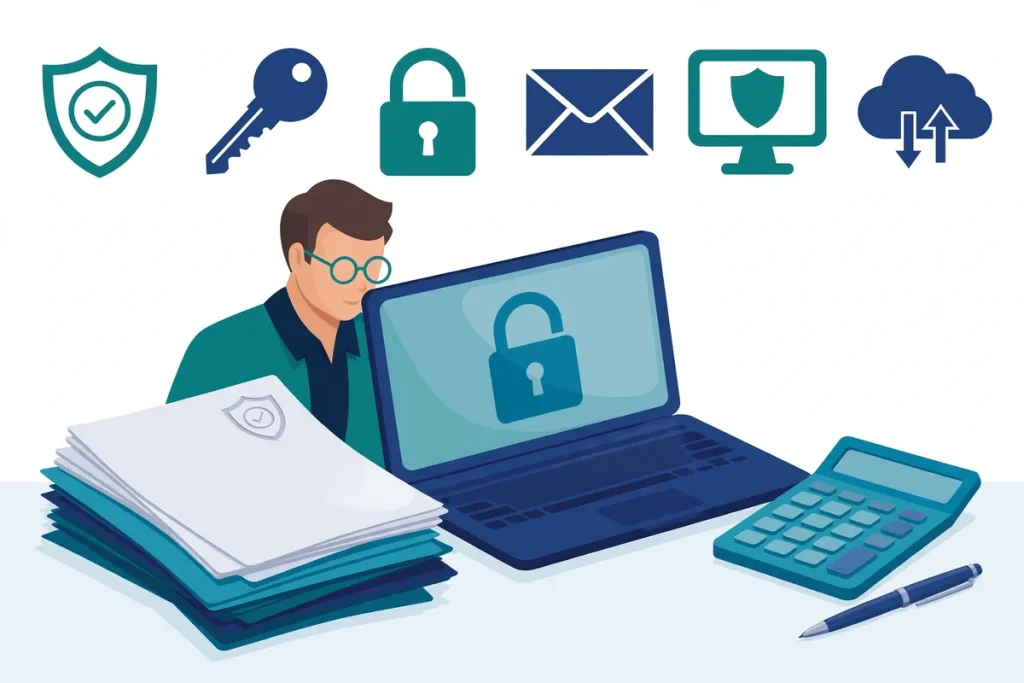
The IRS Security Summit campaign sets out six basic safeguards — the ‘Security Six‘. Treat this as your minimum standard:
1. Use antivirus software
Install reputable antivirus software on every work computer your firm uses for tax work, and keep it updated, so malware is caught before it can steal or encrypt client files.
2. Use a firewall
Turn on the firewall on every work computer and on your office network, so unauthorized connections are blocked before they can reach your client data.
3. Use multi-factor authentication
Require MFA for email, tax software, cloud storage, and remote access. An authenticator app is better than SMS codes.
4. Use backup software or services
Keep backups of your client files with backup software or a backup service, following the 3-2-1 rule, and test restoring from them every quarter. A backup that has never been tested by restoring it is only a hope, not a safety net. Test it: restore a file from your backup every quarter and confirm you can open it. If the restore fails, fix the backup before you need it for real.
5. Use drive encryption
Full-disk encryption on every laptop (BitLocker on Windows, FileVault on Mac). If a laptop is lost or stolen, encryption is what keeps client data unreadable.
6. Use a virtual private network (VPN)
Use a VPN when you or your staff work outside the office, especially on public Wi-Fi, so your connection to tax software and client files is encrypted and cannot be snooped on.
Also recommended (beyond the Security Six)
Use strong, unique passwords — and a password manager
Every system gets its own strong password, stored in a business password manager. Never reuse passwords, and never share them by email or spreadsheet.
Secure your email and client communications
Do not send sensitive tax documents as plain email attachments. Use a secure client portal or encrypted email, and configure SPF, DKIM, and DMARC for your firm’s domain so criminals cannot impersonate you.
What counts as a data breach?
A breach is not only a hacker breaking in. It includes:
- A laptop or phone with client data being lost or stolen
- A staff member’s email account being taken over
- Ransomware encrypting your client files
- A phishing email that tricks someone into sending client data
- A service provider telling you their system was breached
If any of these happen, the IRS expects you to act — not to hope nobody notices.
What to do if your firm is breached
The IRS has a specific process for tax preparers. In summary:
- Contain it: disconnect affected computers from the network; do not delete anything
- Change passwords from a clean device, starting with email, and turn on MFA
- Contact your IT support and cyber insurer immediately
- Report to the IRS: contact the IRS Stakeholder Liaison for your area and follow the IRS data breach guidance for tax professionals — the IRS will tell you what information they need and what to do about affected returns
- Notify affected clients as required by your state’s breach notification law
- Document everything — what happened, when you found it, and every step you took
Do not wait to see whether fraudulent returns are filed. Early reporting protects your clients and your firm.
If client data is stolen, report it in this order:
- IRS Stakeholder Liaison — immediately. Tax preparers who suffer a data theft must contact the IRS Stakeholder Liaison for their area and report the incident. (IRS: Data theft information for tax professionals)
- Your state tax agency. Notify the state tax agency (or agencies) where you file — find the contact through the Federation of Tax Administrators list linked on the IRS data-theft page above.
- FBI Internet Crime Complaint Center (IC3) — for significant breaches, file a report at ic3.gov.
- FTC — within 30 days, if 500 or more consumers are affected. If the breach involves the unauthorized acquisition of unencrypted information of at least 500 consumers, notify the FTC as soon as possible and no later than 30 days after discovery. (FTC Safeguards Rule guidance)
- Affected clients and your state attorney general — as required by your state’s breach-notification law.
Common mistakes tax preparers make
- No WISP, or a bought template never adapted. A generic template that mentions systems you do not use proves you did not do the work.
- MFA only on some systems. Attackers use the one account you left unprotected — usually email.
- Emailing tax documents as plain attachments. This is still one of the most common ways client data leaks.
- No backup test. Many firms discover during a ransomware attack that their backups were failing silently for months.
- Ignoring the FTC Safeguards Rule. Many tax and accounting firms are also covered by the FTC Safeguards Rule, which requires a written information security program of its own. Your WISP can cover both, but only if you write it that way.
Checklist: are you IRS-compliant?
- ☐ Written Information Security Plan in place, naming a security coordinator
- ☐ MFA on email, tax software, cloud storage, and remote access
- ☐ Business password manager in use by all staff
- ☐ Automatic updates on, antivirus and firewall current
- ☐ Full-disk encryption on all laptops
- ☐ Secure client portal in use; no sensitive documents by plain email
- ☐ SPF, DKIM, and DMARC configured
- ☐ 3-2-1 backups with a tested restore this quarter
- ☐ Staff trained on phishing, with a refresher before tax season
- ☐ Incident response plan written, with IRS and insurer contact details
- ☐ WISP reviewed in the last 12 months
Frequently asked questions
Does the IRS requirement apply to solo preparers?
Yes. The duty to safeguard taxpayer data applies regardless of firm size. A solo preparer’s WISP is shorter, but it must still exist and be followed.
Is a WISP the same as the FTC Safeguards Rule program?
They overlap heavily. The IRS WISP and the FTC’s written information security program cover similar ground. One well-written plan can satisfy both if it addresses both sets of requirements.
What happens if I do not have a WISP and there is a breach?
You will face a much harder time with the IRS, your clients, and any insurer. Having no plan at all is treated very differently from having a plan and suffering an attack despite it.
How often must I update my WISP?
At least once a year, and immediately after an incident, a major system change, or a change in the rules.
Where do I get the official guidance?
IRS Publication 4557 (Safeguarding Taxpayer Data) and Publication 5708 (Creating a Written Information Security Plan) are free on irs.gov. Read those two documents first — everything in this guide is a plain-English summary of them.
Conclusion
The IRS requirements are not mysterious: write a plan, name a person responsible, turn on MFA, use unique passwords, keep systems updated and encrypted, back up and test, train your staff, and know what to do if the worst happens.
Start with the checklist above. If you can tick every box, you are in good shape. If you cannot, fix MFA and your WISP first — those two steps cover the biggest risks for the least effort.
Disclaimer: This article is general information, not legal or tax advice. Check the current IRS Publications 4557 and 5708 on irs.gov and consult a qualified professional for your firm’s specific obligations.

Muhammad Waseem is the founder of Cybersecurity for Accountants. He researches IRS and FTC guidance and turns it into practical, plain-English checklists and guides to help small accounting and tax firms protect their clients’ data.