Try our free WISP Builder – build your Written Information Security Plan in minutes.
Introduction
If you prepare taxes, the IRS expects you to have a Written Information Security Plan — a WISP. It is not optional paperwork. It is the document that proves your firm has thought about how client data could be stolen, and what you do to stop it.
Many firms either have no WISP at all, or they bought a generic template that sits in a drawer and describes a firm that is nothing like theirs. This guide gives you a WISP structure that fits a real accounting firm, section by section, so you can write one in an afternoon — and actually follow it.
Download the free WISP template (.docx) — fill in each section for your firm.
What is a WISP?

A Written Information Security Plan is a written document that:
- Names the person in your firm responsible for information security
- Lists the risks to the client data you hold
- Describes the safeguards you use to reduce those risks
- Explains how you handle service providers, staff training, and incidents
The legal requirement for a written plan comes from the FTC Safeguards Rule; the IRS explains it in Publication 4557 and gives detailed guidance in Publication 5708 — and asks preparers to confirm it in the Form W-12 PTIN attestation. One good WISP can satisfy both.
Who needs a WISP?
- Any firm that prepares tax returns or handles taxpayer data
- Accounting and bookkeeping firms that store client financial records
- Solo preparers — the requirement does not disappear because you work alone; your plan is simply shorter
The WISP template — section by section
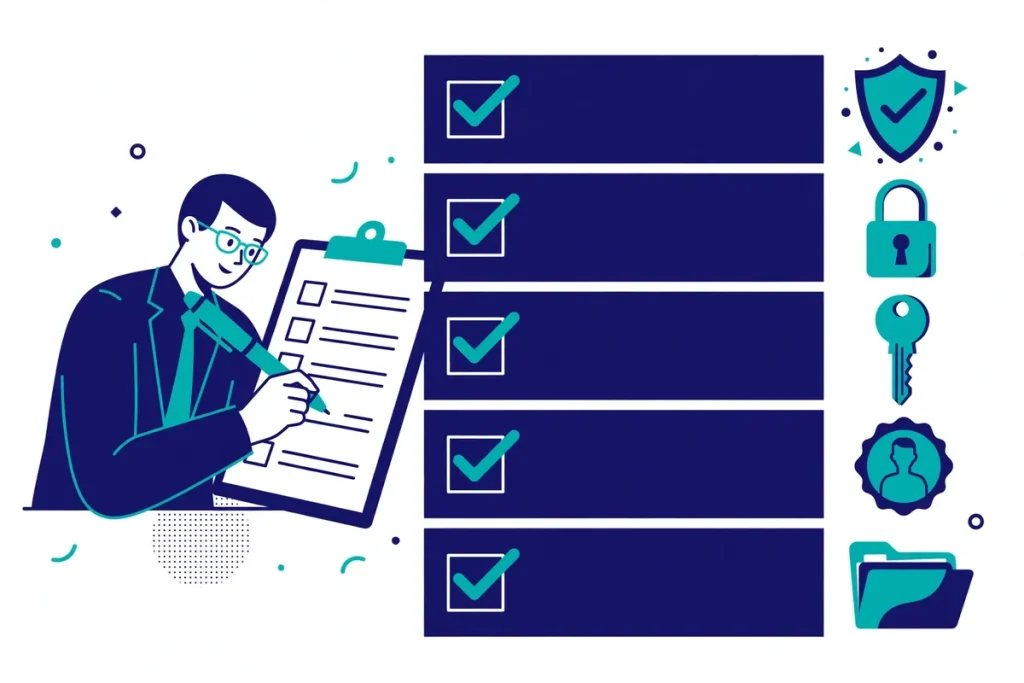
Copy these headings into your own document and fill in each one for your firm. Replace every bracketed note with your firm’s real details.
1. Firm information and purpose
- Firm name, address, and contact details
- Number of staff and the types of client data you hold (tax returns, payroll, bank details, Social Security numbers)
- Purpose: “This plan describes how [Firm Name] protects the confidentiality, integrity, and availability of client information.”
2. Security coordinator
- Name the one person responsible for the WISP (in a small firm, this is usually the owner or office manager)
- Their duties: keeping the plan current, arranging training, reviewing access, and leading the response to any incident
- If that person is away, who covers for them?
3. Risk assessment
List the realistic risks to your firm, for example:
- Phishing emails impersonating the IRS, a client, or a software vendor
- Stolen or weak passwords, especially for email and tax software
- Lost or stolen laptops and phones
- Unpatched software and outdated systems
- A staff member clicking a malicious attachment during tax season
- A service provider (cloud storage, payroll, IT support) being breached
For each risk, note how likely it is and what harm it would cause. You do not need a scoring system — a short, honest list is enough.
4. Safeguards — administrative
- Access control: staff get access only to the clients and systems their job needs; access is removed on the day someone leaves
- Passwords: unique, strong passwords for every system, stored in a business password manager — never shared by email or spreadsheet
- Multi-factor authentication: required for email, tax software, QuickBooks Online, cloud storage, and remote access
- Training: a short security briefing for every new starter, plus a refresher before each tax season, covering phishing, passwords, and safe handling of client documents
- Clean desk and screen lock: computers lock automatically after a few minutes; client papers are not left out overnight
5. Safeguards — technical
- Updates: automatic updates on for operating systems, browsers, tax software, and QuickBooks
- Antivirus and firewall: installed and kept current on every work computer
- Encryption: full-disk encryption on all laptops (BitLocker / FileVault); sensitive documents sent only through a secure client portal or encrypted email — never as plain attachments
- Email security: SPF, DKIM, and DMARC configured for the firm’s domain
- Backups: 3-2-1 backups with a tested restore every quarter
- Remote access: only through your firm’s approved method (for example, your cloud tax platform or a VPN), never through personal remote-access tools
6. Safeguards — physical
- Office doors locked outside working hours; alarm on where available
- Laptops secured or taken home, not left in cars overnight
- Paper client files in locked cabinets; shredding for documents that are no longer needed
- Visitors are not left alone in areas where client files or screens are visible
7. Service providers
List every outside company that touches client data — your tax software provider, cloud storage, email provider, payroll service, IT support, and shredding company. For each one, note:
- What data they can access
- That you have checked their security practices (at least their published security page and contract terms)
- That your contract requires them to protect the data and tell you promptly about a breach
8. Incident response plan
Write down, in advance, what you will do if something goes wrong:
- Disconnect the affected computer from the network
- Do not delete anything — preserve evidence
- Change passwords from a clean device, starting with email, and turn on MFA
- Contact your IT support and your cyber insurer
- Notify affected clients and the IRS as required
- Document everything: what happened, when, and what you did
Include phone numbers for your IT support, insurer, and the IRS contact point for preparer data breaches, so nobody has to search for them during a crisis.
If client data is stolen, report it in this order:
- IRS Stakeholder Liaison — immediately. Tax preparers who suffer a data theft must contact the IRS Stakeholder Liaison for their area and report the incident. (IRS: Data theft information for tax professionals)
- Your state tax agency. Notify the state tax agency (or agencies) where you file — find the contact through the Federation of Tax Administrators list linked on the IRS data-theft page above.
- FBI Internet Crime Complaint Center (IC3) — for significant breaches, file a report at ic3.gov.
- FTC — within 30 days, if 500 or more consumers are affected. If the breach involves the unauthorized acquisition of unencrypted information of at least 500 consumers, notify the FTC as soon as possible and no later than 30 days after discovery. (FTC Safeguards Rule guidance)
- Affected clients and your state attorney general — as required by your state’s breach-notification law.
9. Review schedule
- Review the WISP at least once a year, and after any incident, any big change (new software, new staff, new office), or any change in the rules
- Record the review date and who did it at the top of the document
Common WISP mistakes
- Copying a generic template word for word. If it mentions systems you do not use, it is worse than useless — it proves you did not read it.
- Naming no one. A plan with no named coordinator is a plan no one owns.
- Writing it once and never updating it. A WISP from three years ago that still lists your old software is not a plan.
- Keeping it secret from staff. Everyone who handles client data should know the parts that apply to them.
Frequently asked questions
Do I need a WISP if I am a solo preparer?
Yes. The IRS expectation applies to preparers of any size. A solo preparer’s WISP is simply shorter — a few pages, not a binder.
Can I buy a WISP template instead of writing one?
You can start from a template, but you must adapt every section to your firm: your systems, your staff, your providers. A template is a starting point, not a finished plan.
How long should a WISP be?
For a small firm, 5–10 pages is normal. Length is not the point — accuracy is. If it describes what you actually do, it is long enough.
Does a WISP replace cyber insurance?
No. A WISP reduces risk; insurance helps you recover when something still goes wrong. Many insurers ask to see your WISP before quoting.
How often should I update it?
At least once a year, and immediately after an incident or a major change in how you work.
Conclusion
A good WISP is not a compliance exercise — it is the one document that forces a firm to think, in advance, about how client data could be lost and what stops it. Write it in your own words, name a real person as coordinator, keep it current, and make sure your team knows it exists.
Work through the template above this week, then read the next guide in this series: the IRS cybersecurity requirements for tax preparers, explained in plain language.
Disclaimer: This article is general information, not legal advice. Check the current IRS Publications 4557 and 5708 and consult a qualified professional for your firm’s specific obligations.
Try our free WISP Builder – build your Written Information Security Plan in minutes, free for accounting firms.

Muhammad Waseem is the founder of Cybersecurity for Accountants. He researches IRS and FTC guidance and turns it into practical, plain-English checklists and guides to help small accounting and tax firms protect their clients’ data.